BOOX NOTE AIR 5C : E-INK TABLET REVIEW
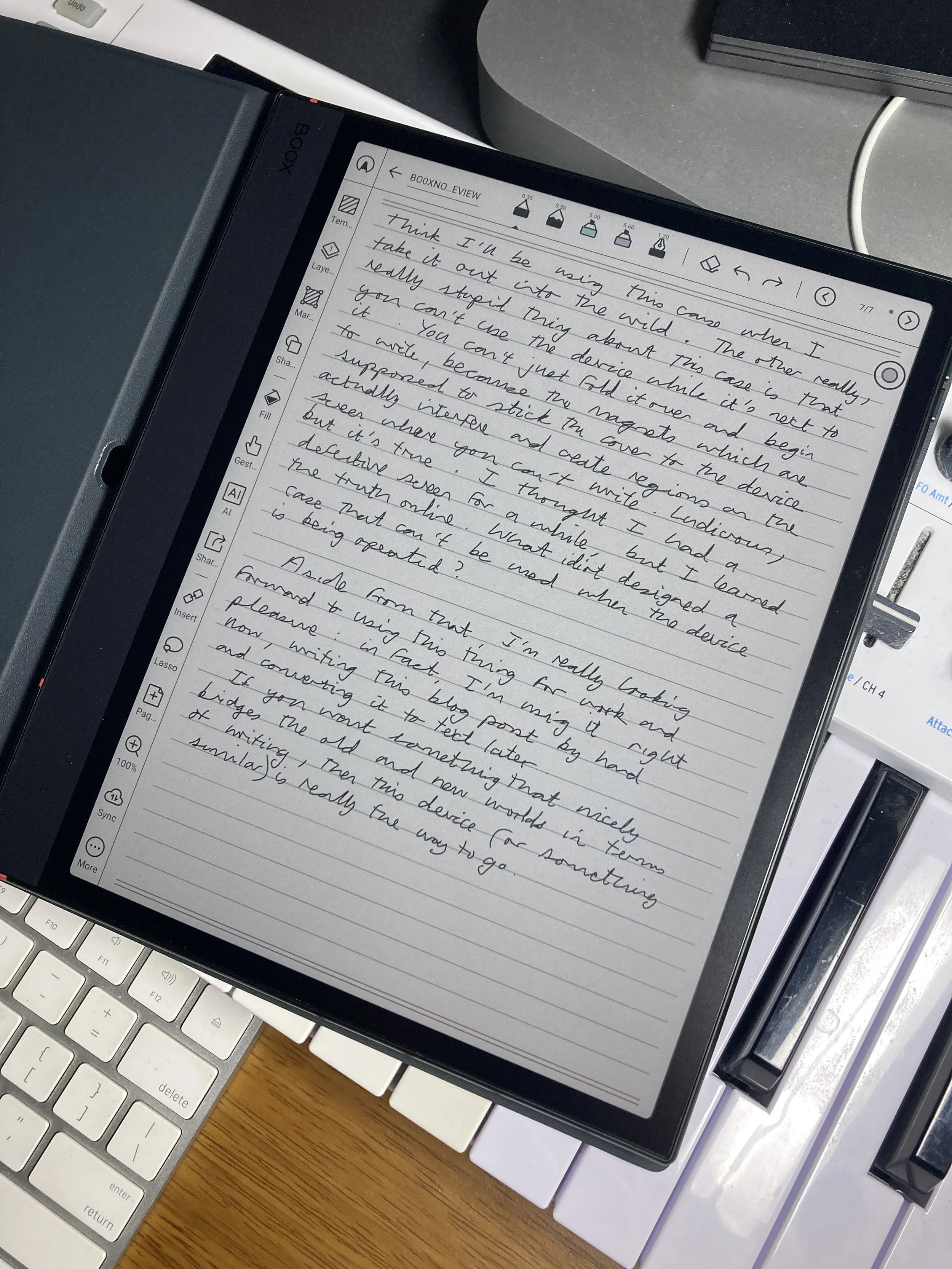
My ungainly scrawl on the BOOX Note Air 5C (no backlight)
There's just something psychologically satisfying about writing with a pen. Whereas, typing while staring at a brightly-illuminated screen just isn't particularly pleasant, and as for trying to write text messages on smartphones - ugh! For work I still use notebooks, paper ones, where I write down my lesson plans (and also doodle when bored). Jotting down ideas, song titles or lyrics or other things is also so much easier with an actual pen. But the world is all digital now - isn't there some convenient middle ground, some way to combine the best of both worlds?
A couple of years ago I started teaching medical students at a local university and noted that almost all of them were kitted out with iPads and smart pens, and would write down everything in class directly onto the digital screen, forsaking actual paper completely.
Hmm... I liked the idea, but then again, did I want yet another Apple product with all of its concomitant annoyances and distractions? No, not at all. And also, writing on a bright reflective sheet of glass? Ugh - horrible.
Then I began to notice the existence of upcoming e-ink devices from companies like reMarkable, which employed the same kind of technology as the Kindle but were geared towards note-taking and annotating PDFs rather than reading. In addition, these devices use screens which are matte and don't emit any light, and are also treated with certain materials which aim to mimic the feel of paper when writing on them. All the disadvantages of trying to write on an iPad removed, plus the added bonus of not having a load of pesky notifications going off all the time, and being tempted by easy access to YouTube, messaging apps and the like.
I also noted, however, that these things were very pricey, which stopped me from indulging, temporarily at least.
When I got my new Kindle for reading last year, I noticed that Amazon also had something called a Kindle Scribe for sale - basically a larger-sized reading device with added note-taking abilities and a pen. It seemed a bit stupid to get one of these so soon after getting a new regular Kindle, but then I heard that a colour version was coming late 2025. OK, let's wait for that, then.
I'm glad the release of this was delayed for Japan, because I decided to look around a bit more and see what else was on offer. All my research pointed to the BOOX Note Air 5C, which I finally decided on and had delivered a few days ago.
Whereas the pricey Kindle Scribe Colorsoft is still basically an e-reader with note-taking added on, the BOOX Note Air 5C is much more geared towards writing, and as such has much more functionality for that than the Kindle.
WHAT CAN THE BOOX NOTE AIR 5C DO?
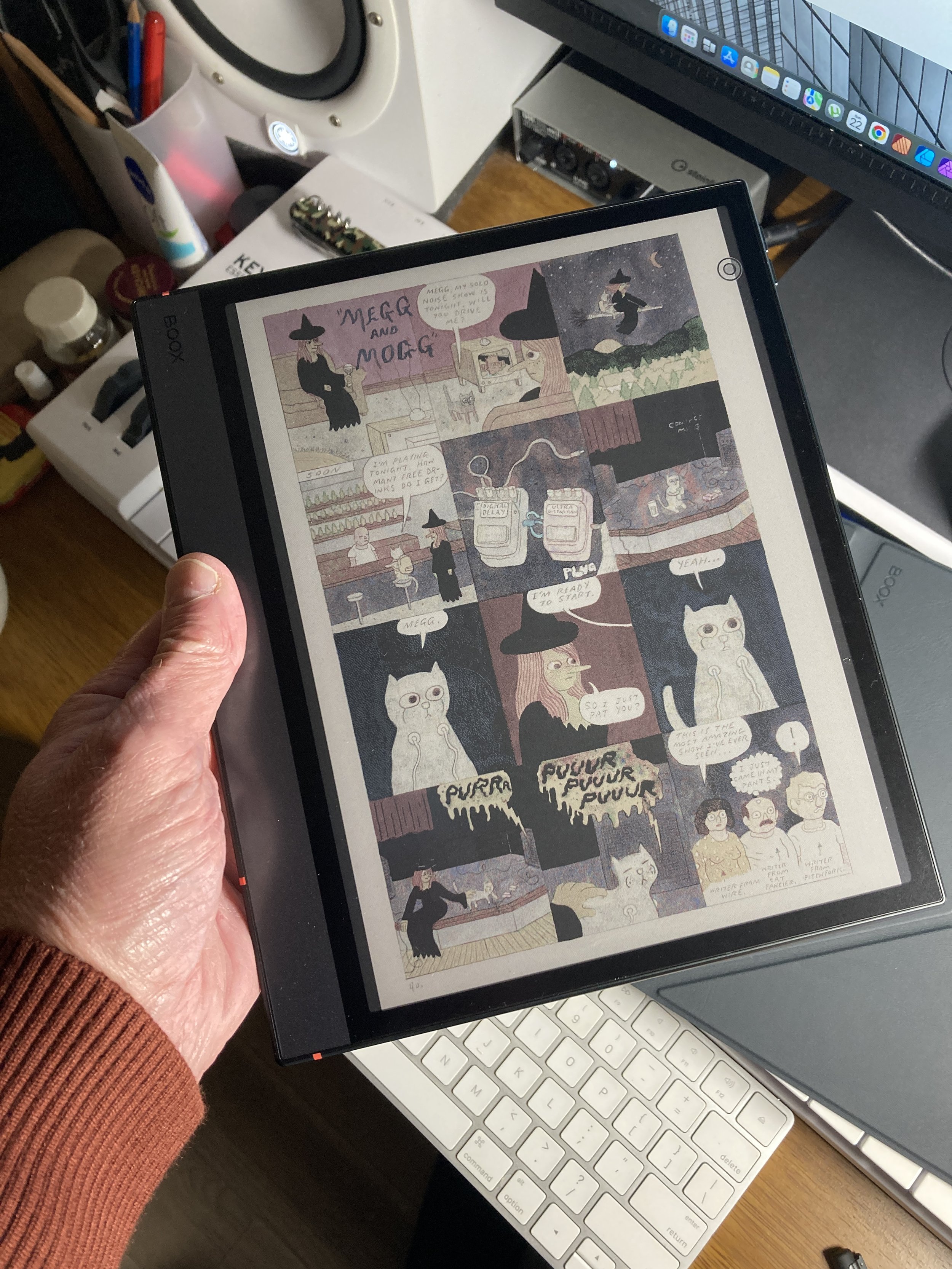
The pleasantly pastel colours of the BOOX
It's a 10.3" colour e-ink tablet that runs on Android. You can download apps from the Google Play store. You can browse the internet and even watch YouTube if you want, although that's not going to look very good and not what the thing is designed for. You can use it as an e-reading device using BOOX's own app, or get the Kindle app if you already use the Amazon system.
But writing is at the heart of it. It has all kinds of templates for your notebooks, the usual writing styles (pen, fountain pen, pencil, marker), you can adjust pen thickness and colour, and everything syncs up to the BOOX server (free account) as well as to other places such as Google Drive.
However, it can do much more: you can add photos or voice memos to your notes. You can get the inbuilt AI to turn your handwriting to text, either after the fact or while you're actually writing. You can draw shapes and diagrams which the AI will automatically detect and refine.You can save any page or part as a PDF (or other file type) and export it. It has a built-in backlight if you need it, a SD card slot for extra memory, and both microphones and speakers should you want to record voice memos or get audiobooks to play on the device.
The Kindle Scribe is lacking many of these features, and is likely to cost more.
MY FIRST IMPRESSIONS
First, I must point out that this thing was not cheap : it is a premium product. It cost ¥98,000 including the case. That's $630 - but the Kindle Scribe Colorsoft will be more than that when it finally gets a local release, and that's without a case.
THE GOOD
It took me a while to get used to it and to learn how to operate it, but I'm very impressed overall. The functionality is really superb, and it can do everything that I need it to. It's versatile, capable, and I get the feeling that I've only just scratched the surface (pun intended) as to the full range of possible uses. Writing on it with the included stylus is absolutely fine, as is using it simply as a reader. I have no regrets about buying it.
THE BAD
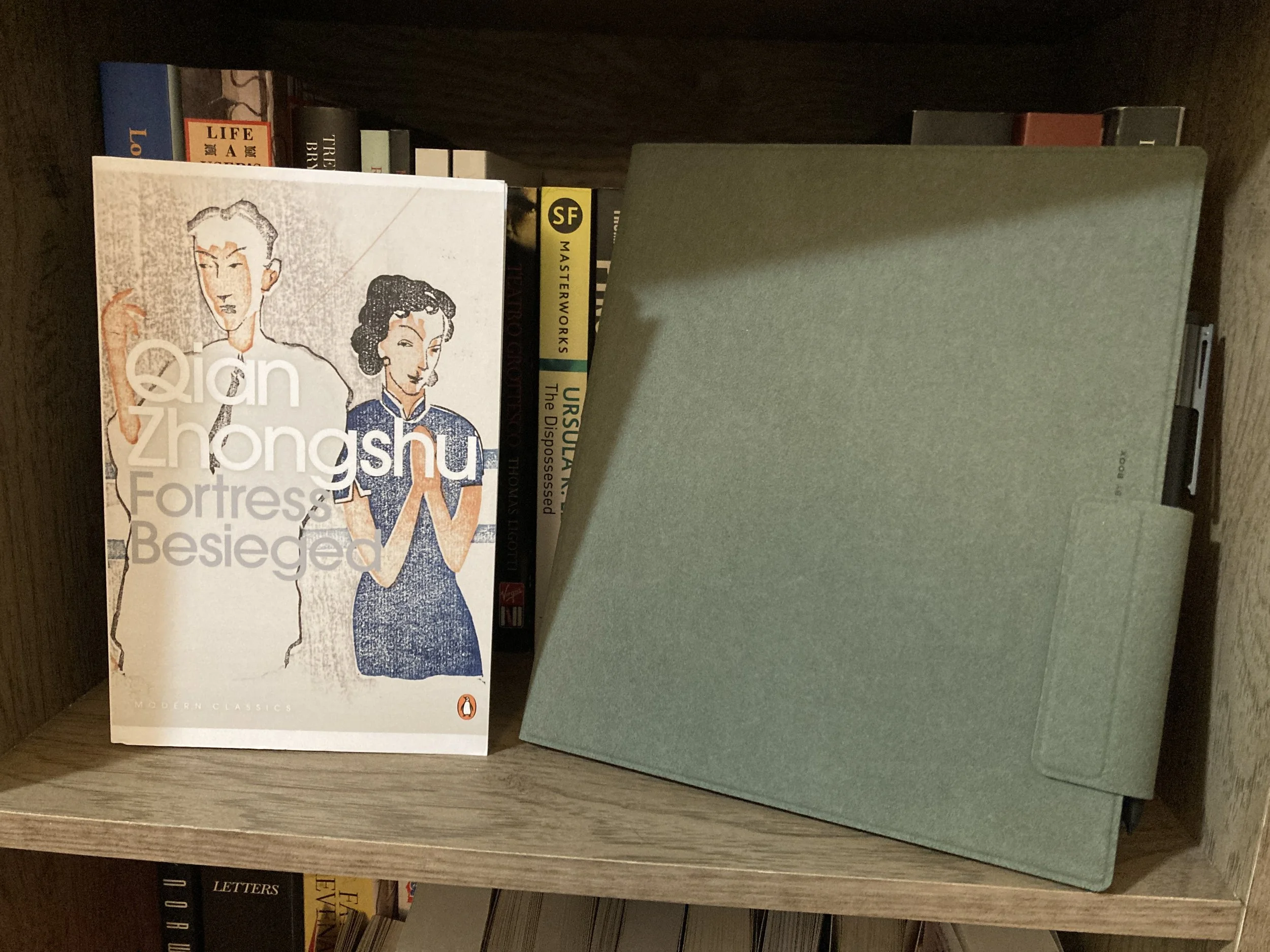
The BOOX with its stupid cover and attached stylus.
Nothing is perfect, and the BOOK Note Air 5C is no exception. It's my first note-taking device of this kind, so I have nothing to compare it to, but it's true that the screen is quite dark. This is a limitation with the existing e-ink technology and affects all similar devices. The ability to render colour makes the screen appear darker when compared to a non-colour device. If you're working in a well-lit environment this isn't really a problem, though, and you can always use the included backlight (although I dislike using it myself).
Some people may also not like the colours which are muted and pastel-like : however, I think it's fine and easy on the eyes. E-ink just cannot display the bright vivid colours you get on iPads - it's a trade-off you have to accept when sticking to e- ink displays.
There are some online criticisms of this device that I found to be complete nonsense. Many people say that the place where the magnetised stylus sticks to the side of the device pushes down on the volume buttons: all you need to do is stick the pen a little further down and it's fine.
Other criticisms were that the stylus doesn't have a built-in eraser on the end like the Kindle one. True, but it's unnecessary - BOOX have included the useful function whereby just scribbling over a mistake automatically erases it - a neat and elegant solution, in my opinion.
Then there’s the case. Apparently this comes free if you order directly from BOOX, but there are stories of people having to pay import duties if you obtain it this way. I went with Amazon and had to buy the case separately, and it was not cheap : $56! I usually avoid the overpriced "official" gear and just go for cheaper third party accessories, but this time I thought I'd treat myself. Big mistake! The case is actually just a kind of floppy cover which doesn't hold the device, it just loosely wraps around it. I think the magnets inside are supposed to adhere to it, but they don't really work. I don't think I'll be using this case when I take it out into the wild.
The other really, really stupid thing about this case is that you can't use the device while it's in contact with it. You can't just fold it over and begin to write, because the magnets which are inside actually interfere and create regions on the screen where writing becomes impossible. Ludicrous, but it's true. I thought I had a defective screen for a while, but I learned the truth online. What idiot would design a case that must be taken off when the device is being operated?
CONCLUSION
Although my ‘good’ column seems to be much smaller than the ‘bad,’ that’s just because I'm completely satisfied with this device and it does everything I want it to do, prettly much flawlessy.
I'm really looking forward to using this thing in the future for both work and pleasure.
If you want something that nicely bridges the old and new worlds in terms of writing, then this device (or something similar) is really the way to go.